
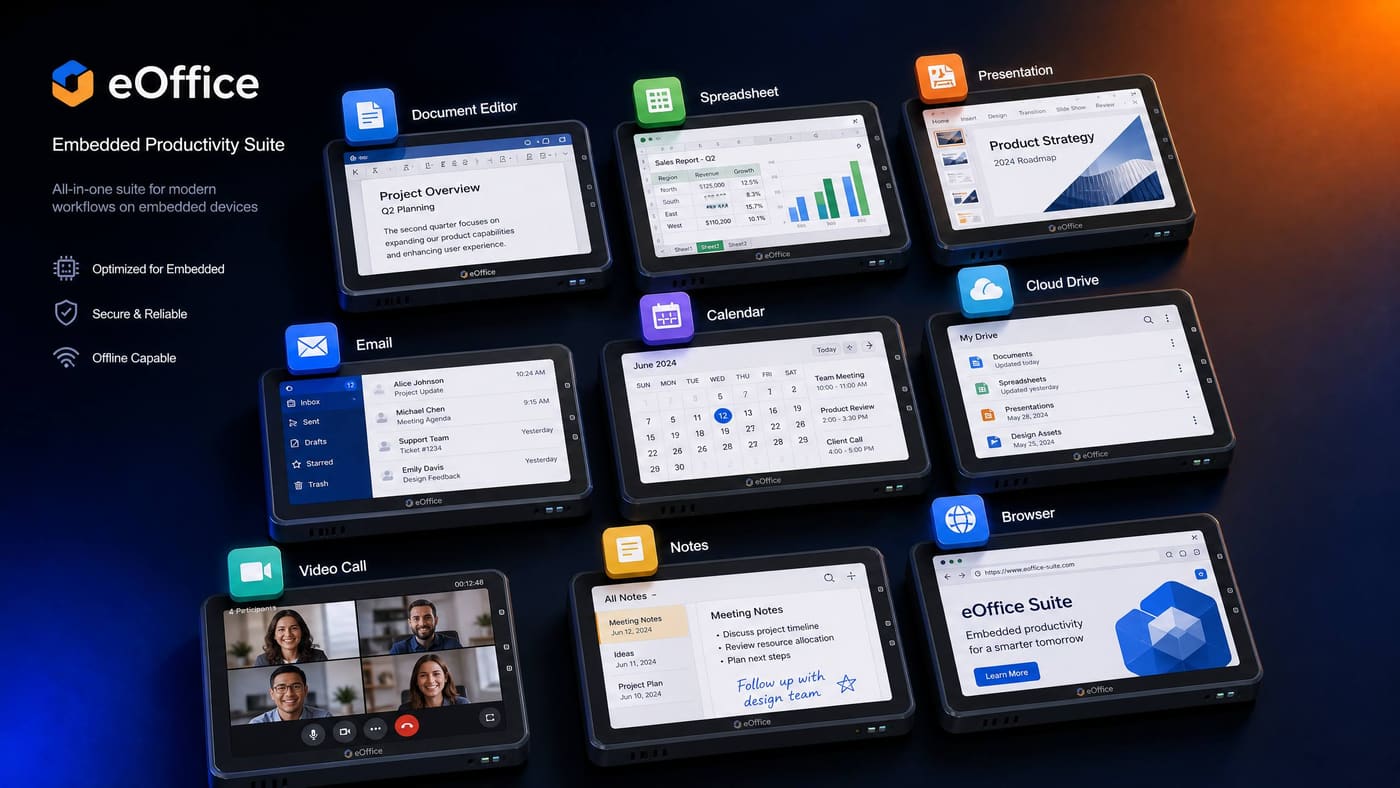
eOffice Suite — 11-App Embedded Office Suite
eWrite · eCalc · ePresent · eNotes · eMail · eCalendar · eCam · eFiles · eContacts · eChat · eVault
A complete 11-application office suite designed to run natively on EoS devices — from a Raspberry Pi to an automotive infotainment system. All apps share a unified eDB storage backend, EIPC inter-app communication, and a consistent UI framework optimized for embedded displays.
How It Works
Step-by-step flow — from initialization to output.
Install the eOffice Suite
eOffice is distributed as an .eos application package. Install it via the eApps package manager or include it in your eBuild manifest. All 11 apps share a single eDB database for unified storage.
# Install via eApps
eapps install eoffice-suite

# Or include in manifest.yml
packages:
  - eoffice-suite: 1.0.0
Launch an App via EIPC
eOffice apps communicate with each other and with the EoS platform via EIPC. Launch eWrite from another app by sending an EIPC message to the eOffice launcher service.
// Launch eWrite with a document
eipc_msg_t msg = {
    .service = "eoffice.launch",
    .action  = "open",
    .payload = {"app": "ewrite", "file": "/docs/report.edoc"}
};
eipc_send(eoffice_port, &msg, sizeof(msg));Read and Write Documents via eDB
All eOffice documents are stored in eDB. Access them programmatically from other EoS apps using the eDB document store API.
// Read an eWrite document from eDB
edb_doc_t doc = edb_collection_find_one(db, "ewrite_docs",
                                         "title", "Q3 Report");
const char *content = edb_doc_get_str(doc, "content");

// Create a new spreadsheet in eCalc
edb_doc_t sheet = edb_doc_new();
edb_doc_set_str(sheet, "title", "Sensor Data");
edb_doc_set_str(sheet, "type",  "spreadsheet");
edb_collection_insert(db, "ecalc_sheets", sheet);Integrate AI Features
eOffice integrates with eAI for AI-assisted features: document summarization in eWrite, formula suggestions in eCalc, slide generation in ePresent, and voice commands in all apps.
// eWrite AI summarization
eipc_msg_t req = {
    .service = "eai.summarize",
    .payload = {"text": document_content, "max_words": 100}
};
eipc_send(eai_port, &req, sizeof(req));

// Receive summary
eipc_msg_t resp;
eipc_recv(eai_port, &resp, sizeof(resp), EIPC_WAIT_FOREVER);
printf("Summary: %s\n", resp.payload.summary);
Usage Examples
Real-world scenarios showing eOffice Suite in action.
An automotive head unit running eOffice for navigation notes, calendar integration, and hands-free voice commands.
// Automotive eOffice integration
// eCalendar shows upcoming appointments on the dashboard
// eNotes stores voice-dictated driving notes
// eFiles accesses documents from the vehicle cloud

// Voice command integration via eAI
void voice_cmd_task(void *arg) {
    for (;;) {
        // Wake word detected by eAI KWS
        eos_event_wait(WAKE_EVENT, EOS_WAIT_FOREVER);

        // Transcribe command
        char cmd[256];
        eai_transcribe(mic, cmd, sizeof(cmd));

        // Route to eOffice
        eipc_send(eoffice_port, cmd, strlen(cmd));
    }
}
Features
The shape of eOffice Suite at a glance.
eWrite
Rich text editor with markdown support, tables, and AI-assisted writing. Exports to PDF and HTML.
eCalc
Spreadsheet with 200+ functions, charts, and AI formula suggestions. Compatible with CSV and XLSX.
ePresent
Slide presentation editor with AI slide generation from text prompts.
eNotes
Quick notes with voice dictation, handwriting recognition, and eDB sync.
Email client with IMAP/SMTP support, S/MIME encryption, and offline mode.
eCalendar
Calendar with CalDAV sync, reminders, and integration with eNotes and eMail.
eCam
Camera app with AI scene recognition, QR/barcode scanning, and eDB photo storage.
eVault
Encrypted file vault with AES-256 encryption rooted in the eBoot chain of trust.
Role in the EoS Ecosystem
Why eOffice Suite matters — and what breaks without it.
eOffice Suite is the user-facing application layer of the EoS ecosystem. It demonstrates that EoS is not just a kernel for sensor nodes — it is a complete platform capable of running a full productivity suite on embedded hardware. eOffice is the primary reason end users interact with EoS devices directly: automotive infotainment, medical device documentation, industrial HMI panels, and educational tablets all use eOffice. It also serves as the reference implementation for how EoS applications should be structured: EIPC for inter-app communication, eDB for storage, and eAI for intelligence.
Depends On
Enables / Powers
Open source on GitHub
MIT licensed and developed in the open. Issues, discussions, and pull requests welcome.
In the EoS stack
eOffice Suite is highlighted in the layer below.
Pairs well with
Sibling components that eOffice Suite commonly works alongside.
Technical Specifications
| Applications | 11 (eWrite, eCalc, ePresent, eNotes, eMail, eCalendar, eCam, eFiles, eContacts, eChat, eVault) |
| Storage Backend | eDB (SQL + document + KV) |
| Inter-App Communication | EIPC with capability-based access control |
| UI Framework | eUI — embedded UI toolkit with hardware-accelerated compositing |
| RAM Requirement | < 32 MB for full suite (< 8 MB per app) |
| Supported Displays | LVDS, MIPI-DSI, HDMI, SPI TFT (320×240 to 4K) |
| AI Features | Summarization, voice commands, formula suggestions, slide generation via eAI |
| License | MIT |